ginga
v2.6.6
  • Detailed Installation Instructions for Ginga
  • What’s New in Ginga?
  • Ginga Quick Reference
  • The Ginga FAQ
  • The Ginga Viewer and Toolkit Manual
    • Introduction
    • Core Concepts
    • General Operation
    • Ginga Canvas Graphics
    • Plugins
      • Global plugins
        • Toolbar
        • Pan
        • Info
        • Header
        • Zoom
        • Thumbs
        • Contents
        • Colorbar
        • Cursor
        • Operations
        • WBrowser
        • FBrowser (Open File)
        • ColorMapPicker
        • Errors
        • RC
        • WCSMatch
        • ChangeHistory
        • SAMP Control
        • IRAF Interaction
        • Log
        • Command
        • SaveImage (Save File)
      • Local plugins
    • Customizing Ginga
    • Developing with Ginga
    • Using the Basic Ginga Viewer Object in Python Programs
    • Ginga Internals
  • Optimizing Ginga’s Performance
  • Reference/API
ginga
  • Docs »
  • The Ginga Viewer and Toolkit Manual »
  • Plugins »
  • Header
  • Edit on GitHub

HeaderΒΆ

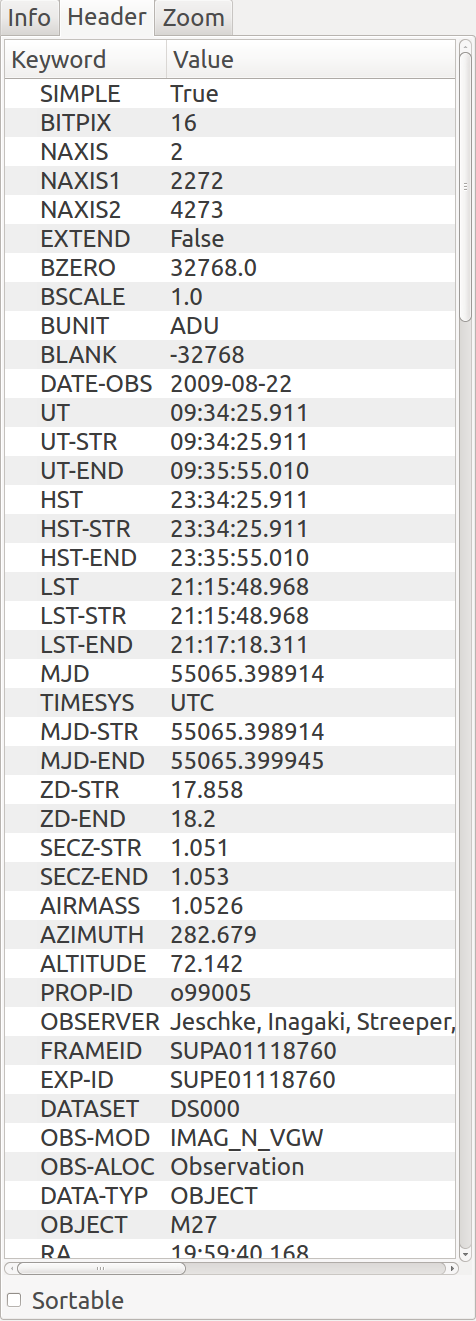
Header plugin

The Header plugin provides a listing of the metadata associated with the image.

Plugin Type: Global

Header is a global plugin. Only one instance can be opened.

Usage

The Header plugin shows the FITS keyword metadata from the image. Initially only the Primary HDU metadata is shown. However, in conjunction with the MultiDim plugin, the metadata for other HDUs will be shown. See MultiDim for details.

If the “Sortable” checkbox has been checked in the lower left of the UI, then clicking on a column header will sort the table by values in that column, which may be useful for quickly locating a particular keyword.

It is customizable using ~/.ginga/plugin_Header.cfg, where ~ is your HOME directory:

#
# Header plugin preferences file
#
# Place this in file under ~/.ginga with the name "plugin_Header.cfg"

# Sort header
sortable = True

# If True, color every other row in alternating shades to improve
# readability of long tables
color_alternate_rows = True

# Maximum number of rows that will turn off auto column resizing (for speed)
max_rows_for_col_resize = 5000
Next Previous

© Copyright 2017, Eric Jeschke. Revision 1ba55654.

Built with Sphinx using a theme provided by Read the Docs.